
Documentation
Pricing, Balance, and Quota in the NexoRouter documentation.
Pricing, Balance, and Quota
NexoRouter uses prepaid balance and usage-based billing. You add balance first, then API requests consume quota according to model usage.
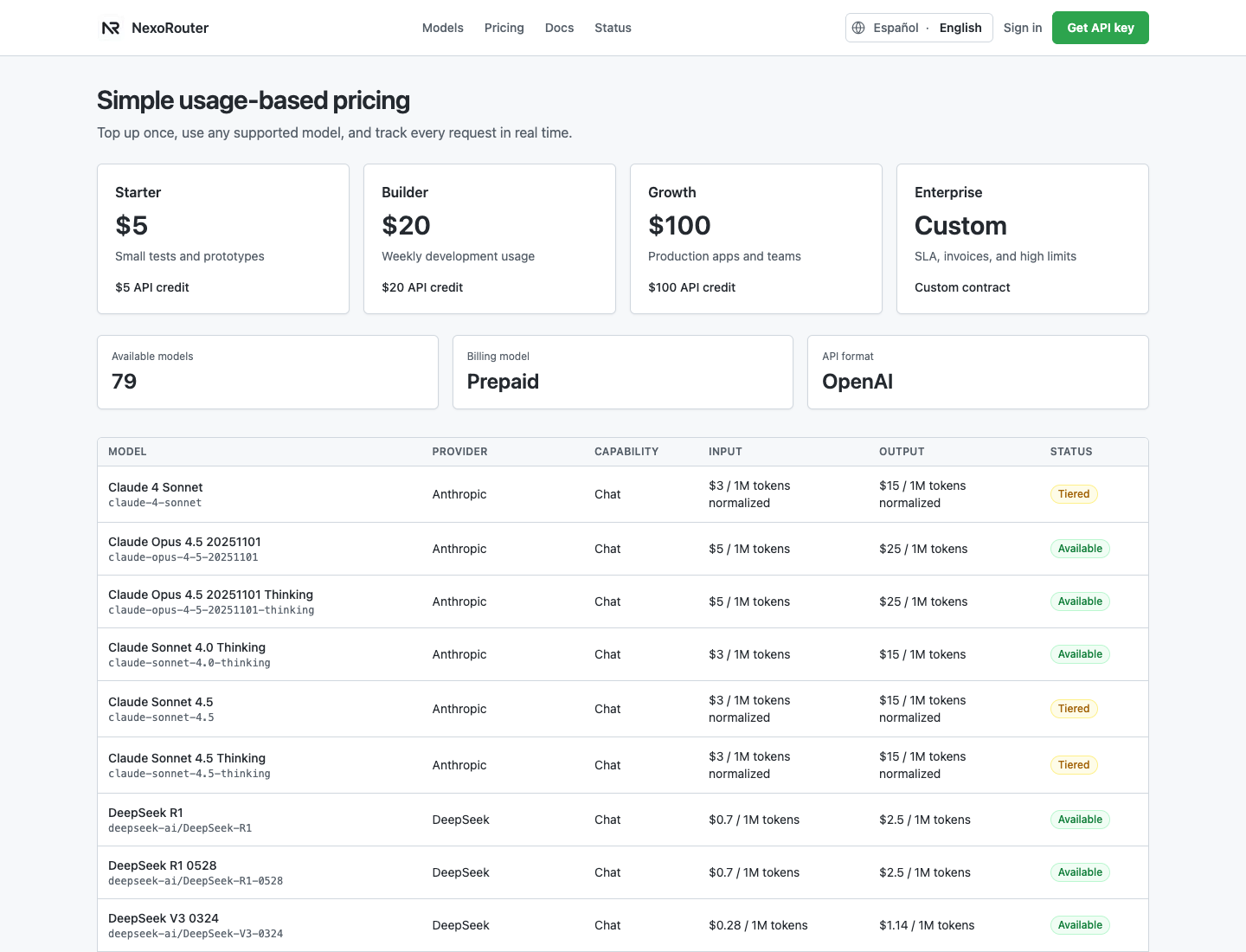
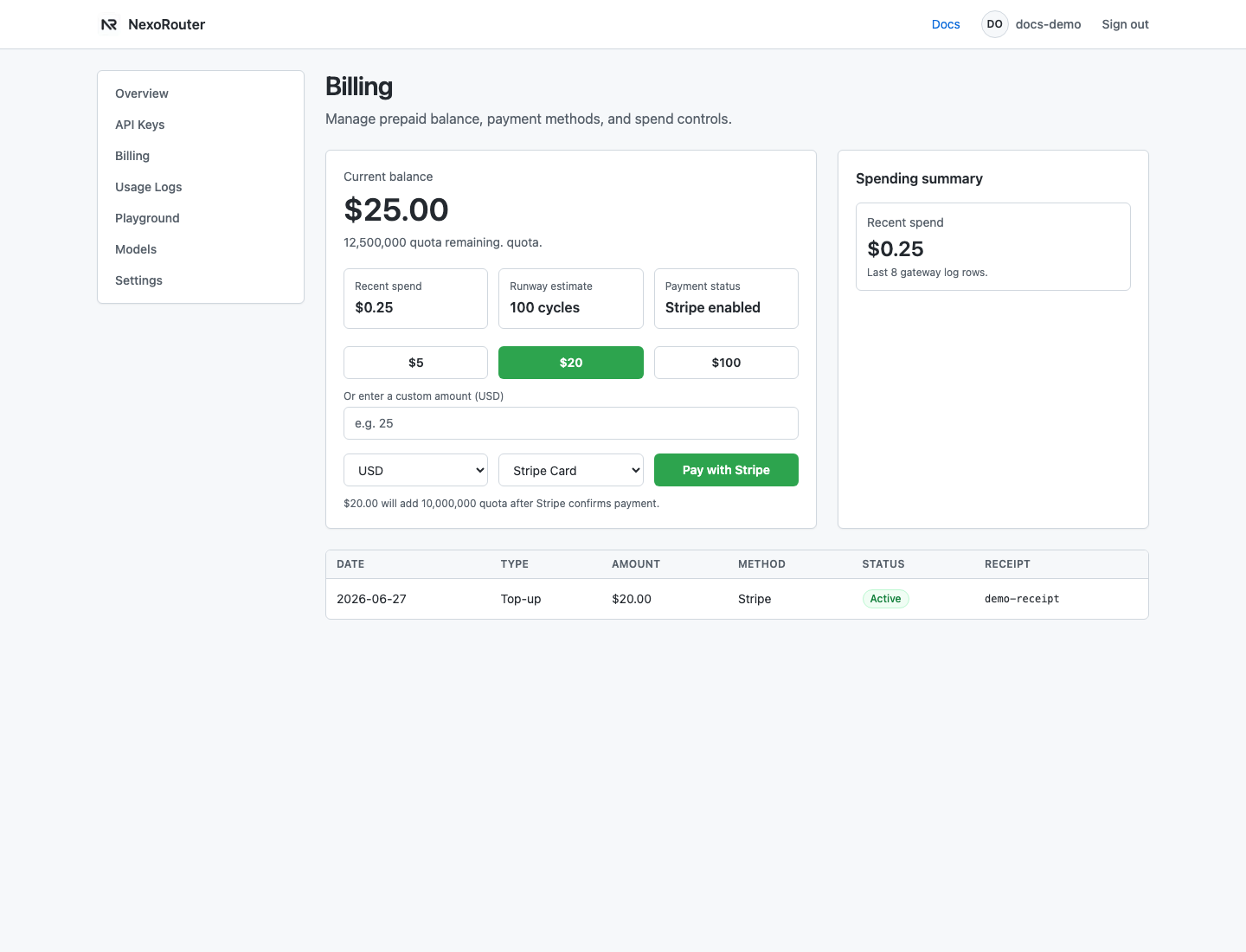
The Billing dashboard screenshot uses sanitized demo data. Your real balance, quota, transactions, and receipts will differ.
Core concepts
| Concept | Meaning |
|---|---|
| Prepaid balance | Account-level balance shared by API keys. |
| Quota | Internal usage unit. 1 USD = 500000 quota. |
| API key budget | Optional hard cap for one key. |
| Model scope | Optional list of models one key can call. |
| Usage Logs | Request records with model, key, tokens, cost, latency, status, and request ID. |
| Billing | Dashboard area for balance, top-ups, and recent payments. |
Top-up options
The Dashboard offers standard top-up packages:
| Package | USD | Quota added |
|---|---|---|
| Starter | $5 | 2500000 |
| Growth | $20 | 10000000 |
| Scale | $100 | 50000000 |
Custom top-ups are supported from $1 to $10000, rounded to cents.
How requests are charged
Most chat requests use:
- input tokens;
- output tokens.
Each model has its own input and output price. The actual charge is visible in Usage Logs as both USD and quota.
Balance and key budgets
Workspace balance is shared, but key budgets let you limit risk.
Recommended setup:
| Key | Budget | Scope |
|---|---|---|
local-dev | $5 | All chat models or one low-cost model |
staging | $20 | Models used by staging |
production | Custom budget or workspace balance | Only models the app actually uses |
Insufficient balance
insufficient_quota means the workspace balance or key budget cannot cover the request.
Fix it:
- Open Billing and check current balance.
- Open Usage Logs and check recent spend.
- Add balance or create a replacement key with the right budget.
- Retry the request.
Cost control
- Create separate keys for dev, staging, and production.
- Use hard key budgets for experiments and external tools.
- Start with lower-cost models during integration testing.
- Set
max_tokensduring development. - Avoid automatic infinite retries.
- For slow models, raise the client timeout instead of canceling and retrying quickly.
Payment boundaries
Payment support follows the product paths available in the Dashboard:
- Top-ups are made from Billing.
- Stripe Checkout is the supported online checkout path.
- Balance is credited after the signed payment confirmation is processed.
- Refunds, disputes, and manual credits require human review.