
Documentation
Dashboard Workflows in the NexoRouter documentation.
Dashboard Workflows
The Dashboard is where users create keys, control spend, test prompts, and troubleshoot requests.
Create an API key
Open Dashboard -> API Keys.
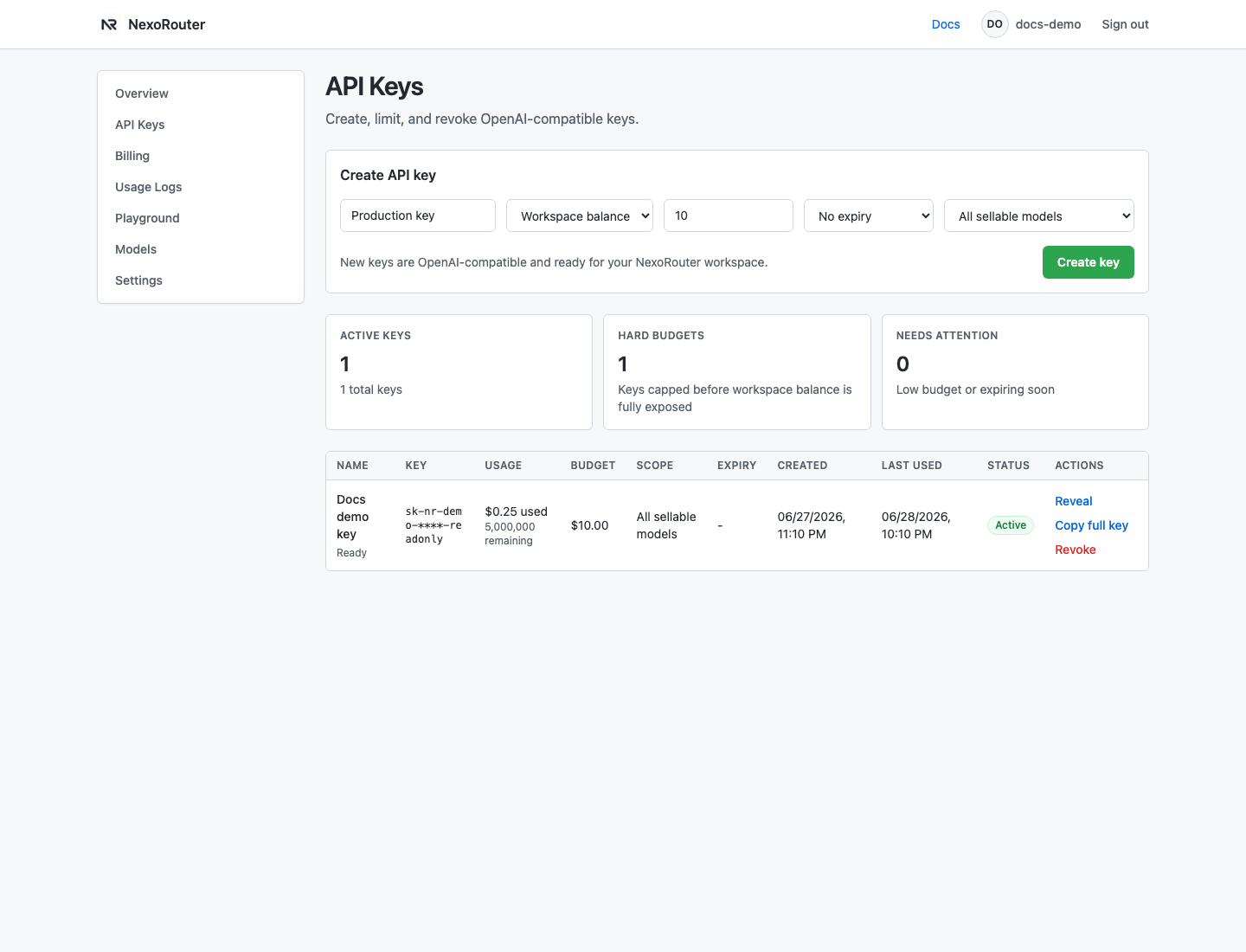
Fields:
| Field | What it controls |
|---|---|
| Name | Human-readable key label in tables and logs. |
| Budget | Workspace balance or a hard key budget. Presets include $5, $20, $100, and custom. |
| Expiry | Never, 30 days, 90 days, or 365 days. |
| Model scope | All public models, chat models, or one selected model ID. |
After creating a key, copy the full value immediately. The key can also be revealed later from the key table, but users should still store it in a secret manager or environment variable.
Choose model scope
Use the least restrictive setting that still controls risk:
- All models: best for early exploration because future public models stay usable.
- Chat models: good for chat-only apps.
- One model ID: good for production services that should not drift to other models.
If a scoped key cannot access a model, the public API returns model_not_found.
Reveal, copy, revoke, and enable
API Keys supports:
- Reveal full key.
- Copy full key.
- Revoke an active key.
- Enable a disabled key.
If a key leaks, revoke it, create a replacement, update environment variables, and check Usage Logs for suspicious activity.
Use Playground
Playground lets a signed-in user test a prompt without copying the key into local code.
It uses:
- one active API key from the account;
- one publicly available chat model;
- system message;
- user prompt;
temperature;max_tokens.
After a successful run, Playground shows the response and equivalent curl, Python, and JavaScript snippets.
Use Usage Logs
Usage Logs are the first place to look after a request fails.
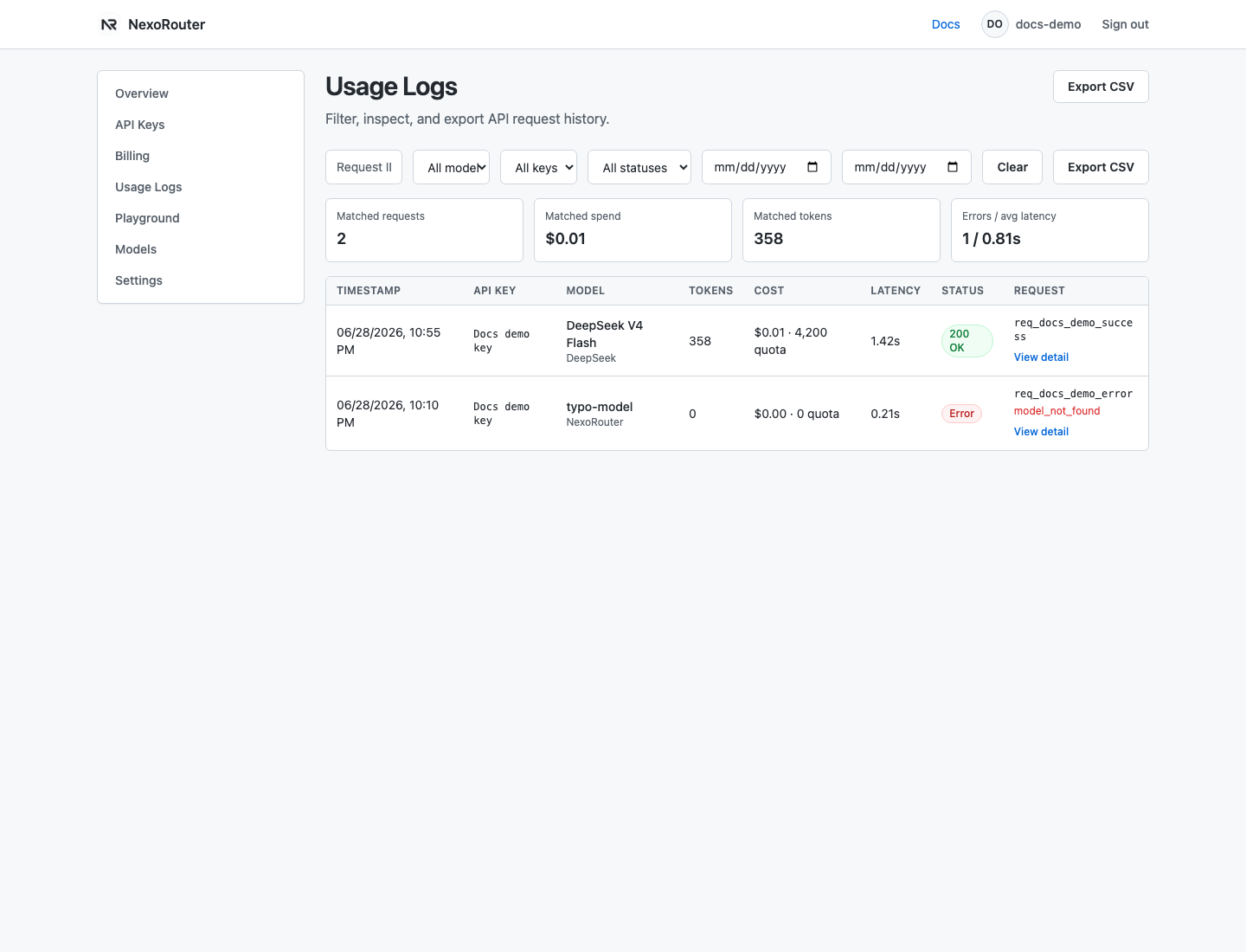
Available filters include:
- request ID;
- model;
- API key;
- success or error status;
- date range.
The table and detail view show:
- timestamp;
- key name;
- model ID;
- prompt tokens;
- completion tokens;
- cost in USD and quota;
- latency;
- request ID;
- error content when available.
CSV export is available for filtered logs.
Use Billing
Billing shows:
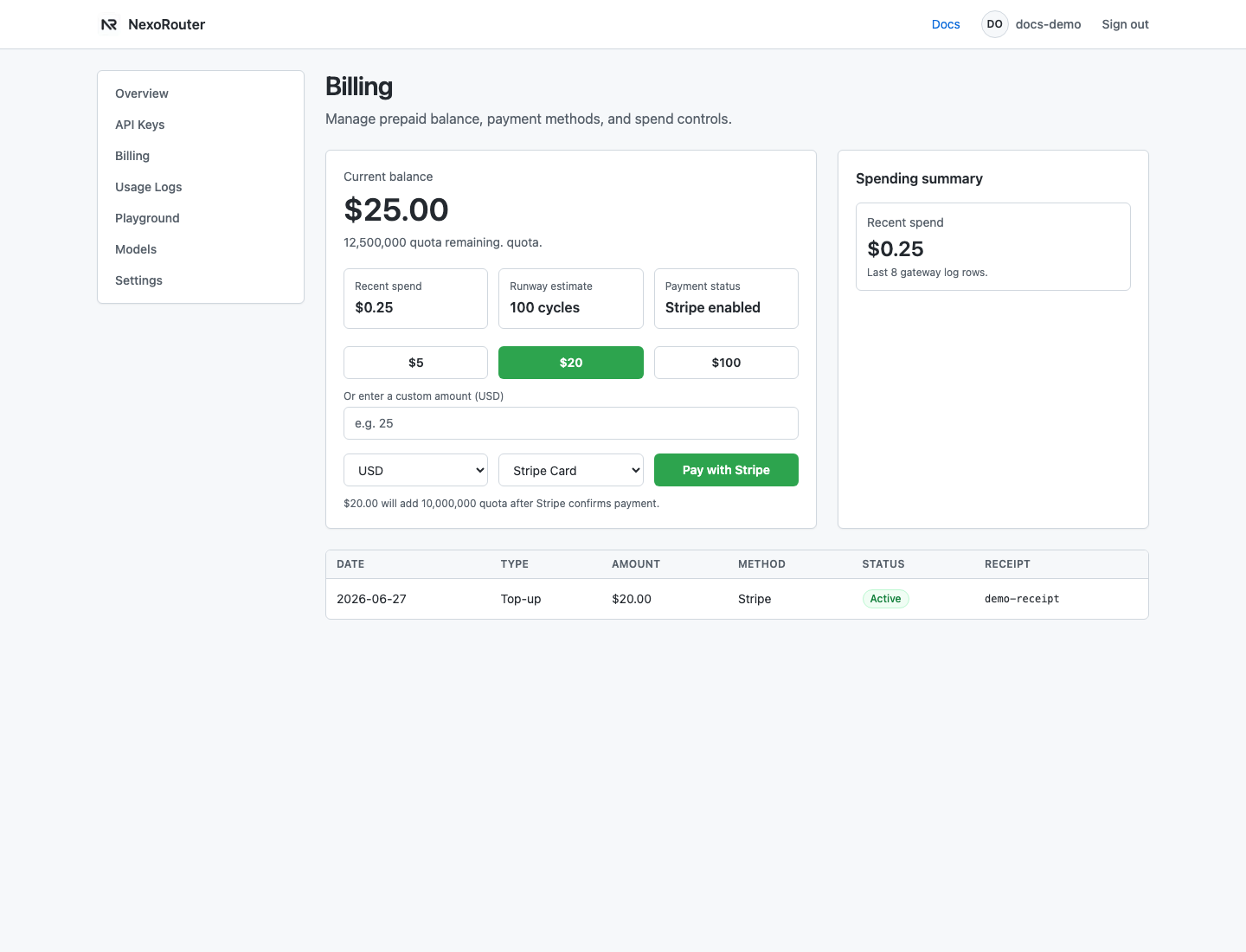
- current balance;
- remaining quota;
- recent spend;
- top-up packages;
- custom top-up amount;
- payment history.
If payment is unavailable, pending, or disputed, contact support instead of retrying the same checkout repeatedly.